Tools
Turn a sponsor brief into a shoot checklist with Gemini in Sheets
Extract deliverables from a brand brief, keep the source wording beside each task and catch missing dates before you plan the shoot. Includes a fictional example.
A draft deadline can look like a publication date
A sponsor asks for a short video and a few photos, with a draft due next Friday. Before booking a shoot, you need to know which files to produce and which details still need an answer. A polished checklist can hide a mistake if it turns that draft deadline into the date you must publish.
Gemini in Google Sheets can help organize the brief into a table. We recommend keeping the original wording beside every proposed task so you can check the extraction. For a single, clearly specified deliverable, writing the row yourself may be quicker. The workflow becomes useful when a brief contains several outputs, conditions and revisions.
The brief below is fictional. The table, prompts and review questions in this article are an editorial exercise, not a report of a creator’s results or output captured from Gemini.
Give Gemini a source you can point back to
Create a working copy in Google Sheets. Put a source label in A1 and the brief in A2. Keep the original brief separately, including when it arrived. Remove personal contact details and any confidential material you are not authorized to process. For a first attempt, use the fictional text above.
On a computer, open Ask Gemini in the top-right corner of Sheets. Google documents table creation in the side panel and an Insert action for adding the result. Access requires an eligible Google Workspace or Google AI plan. Check the supported languages and your organization’s settings if the feature is missing.
Refer to A2 explicitly in your request. If the project has several messages, give each excerpt its own source label and retain their order. A later message may revise the deliverable count; ask the client which version applies when the instructions conflict.
Ask for missing information in its own column
Ask for a small table before requesting a complete production schedule. Useful columns are Item, Quantity or specification, Source wording, Unanswered question and Review status. A separate question column makes it harder to mistake an assumption for an agreed requirement.
Use the proposed prompt below, then compare the result with the expected review notes. Refine the table before inserting it. Treat every row as unreviewed until you have checked its source.
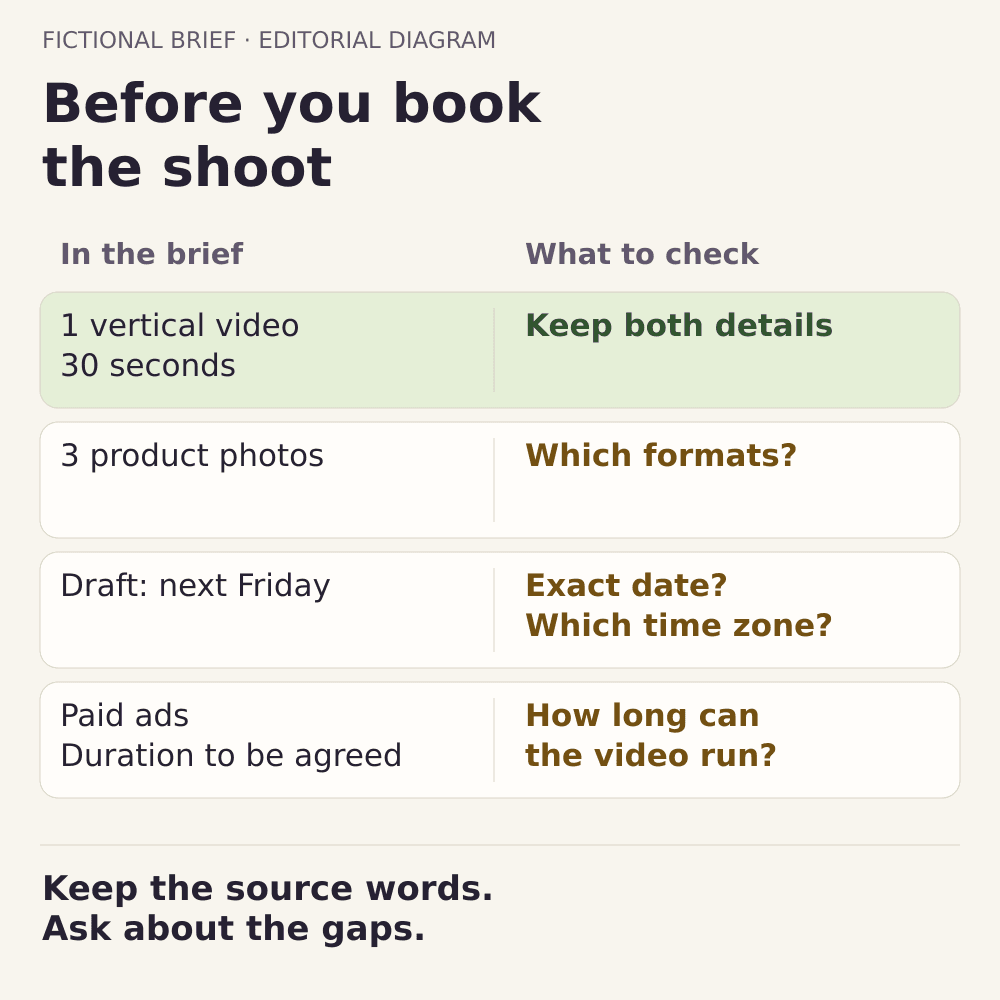
| Item | What the brief says | Question to resolve |
|---|---|---|
| Video | One vertical video, 30 seconds | Confirm any additional delivery specifications |
| Photos | Three product photos | Which orientations and file formats? |
| Draft | Next Friday | What exact date, time and time zone? |
| Paid advertising | Duration to be agreed | What usage period does the client want? |
Check the rows that look complete
Read the source column first. One video must remain one video, and 30 seconds must stay 30 seconds. Three photos do not imply three videos or a carousel. If the model adds a platform, an aspect ratio or a revision allowance, ask where that detail appears in the brief. Remove unsupported additions from the specification column.
Leave next Friday unresolved until the client confirms the calendar date. The date on which you run Gemini does not establish what the sender meant. Keep the draft milestone separate from final delivery and publication; the example brief supplies neither of those dates.
For advertising, record the open question and obtain the agreed terms separately. A generated row cannot establish the permission or period that the brief leaves undecided. Send the client a short list of the unresolved points, then update the checklist from their answers.
- Every specification has matching source wording.
- Draft, final delivery and publication are separate milestones.
- Unknown details remain visible rather than becoming defaults.
- A person has checked each row before it enters the shoot plan.
Keep a reviewed copy when the brief changes
Once the answers arrive, record the confirmed specification, the source of the answer and who reviewed it. Add a responsible person and a next action to each task. Save a dated copy of the reviewed checklist before asking Gemini to revise it for another message.
Google notes that the Sheets side-panel conversation history can disappear when the spreadsheet is reloaded or reopened. Keep the decisions in the sheet itself. On the next revision, compare the old and new rows: a change from three photos to five should be visible to the person planning the work.