How to Reply on IG to Comments Automatically
Learn how to reply on IG by hand with Quick Replies, then set up automatic comment replies and private DMs that turn keywords into leads.
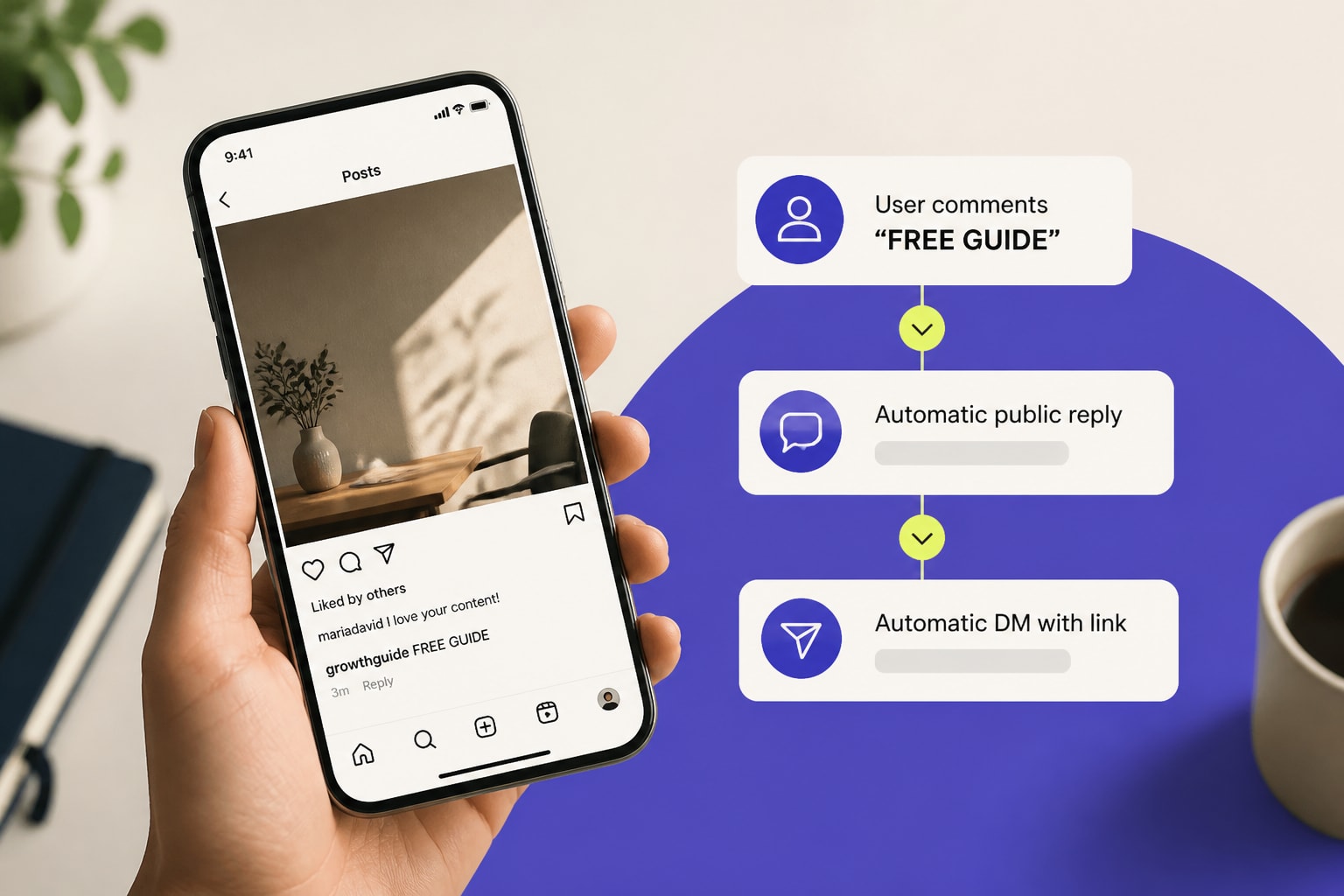
To reply on IG, tap Reply under any comment on your post or Reel, type your answer, and send it. To reply automatically, you connect a Business or Creator account to a tool that watches for keywords and answers for you, either with a public reply, a private DM, or both.
This guide covers both sides. First the manual basics, including Quick Replies and replying from your phone or computer. Then the automatic setup, so a comment like "GUIDE" gets a link in the commenter's DMs within moments. If you run a personal account, the automatic part won't apply to you, since automation needs a Business or Creator account.
What You Need Before You Start
You need an Instagram Business or Creator account and a clear idea of what you want a comment to trigger.
Here's the short checklist:
- A Business or Creator account (switch in Settings if you're on a personal profile)
- A post or Reel that already gets comments, or one you're about to publish
- One resource worth sending: a link, a PDF, a booking page, a discount code
- A keyword that's easy to type, like "GUIDE", "PRICE" or "LINK"
- 15 to 20 minutes for setup
If you're not sure which resource to offer, look at the questions your audience already asks under posts. Our post on turning audience questions into your next tutorial shows a quick way to spot them.
Step 1: Reply to a Comment on Instagram by Hand
You reply to a comment by tapping Reply under it, typing your response, and tapping Post.
On the mobile app, open your post or Reel, tap the comment icon, find the comment, and tap Reply. Instagram adds the commenter's @handle automatically, so your answer is threaded under theirs. On desktop, hover over the comment and click Reply.
A few habits make manual replies work better:
- Answer the question in the first line. People scan.
- Use their name or handle. It feels personal.
- Keep it short. One or two sentences is plenty in a public thread.
- Reply early. The first hour after posting is when most comments arrive, and answers there keep the thread active.
Responding to comments and inviting audience participation as part of a regular routine is a habit that holds up for creators of every size.
Step 2: Save Time With Quick Replies
Quick Replies let you save short, reusable answers and insert them into a comment reply with one tap.
You set them up in your Instagram settings under the saved replies option for comments. Create a few for the questions you answer over and over, such as "Thanks so much! Glad you liked it", "Yes, the link is in my bio", or "Great question, check the caption for details."
Then, when you reply to a comment, tap the Quick Reply icon and pick the one you want. You can still edit the text before posting.
Quick Replies are good for volume, but they're still manual. You open every comment and tap every time. Once you get dozens of comments per Reel, that gets old fast, and that's the point where automation starts to pay off.
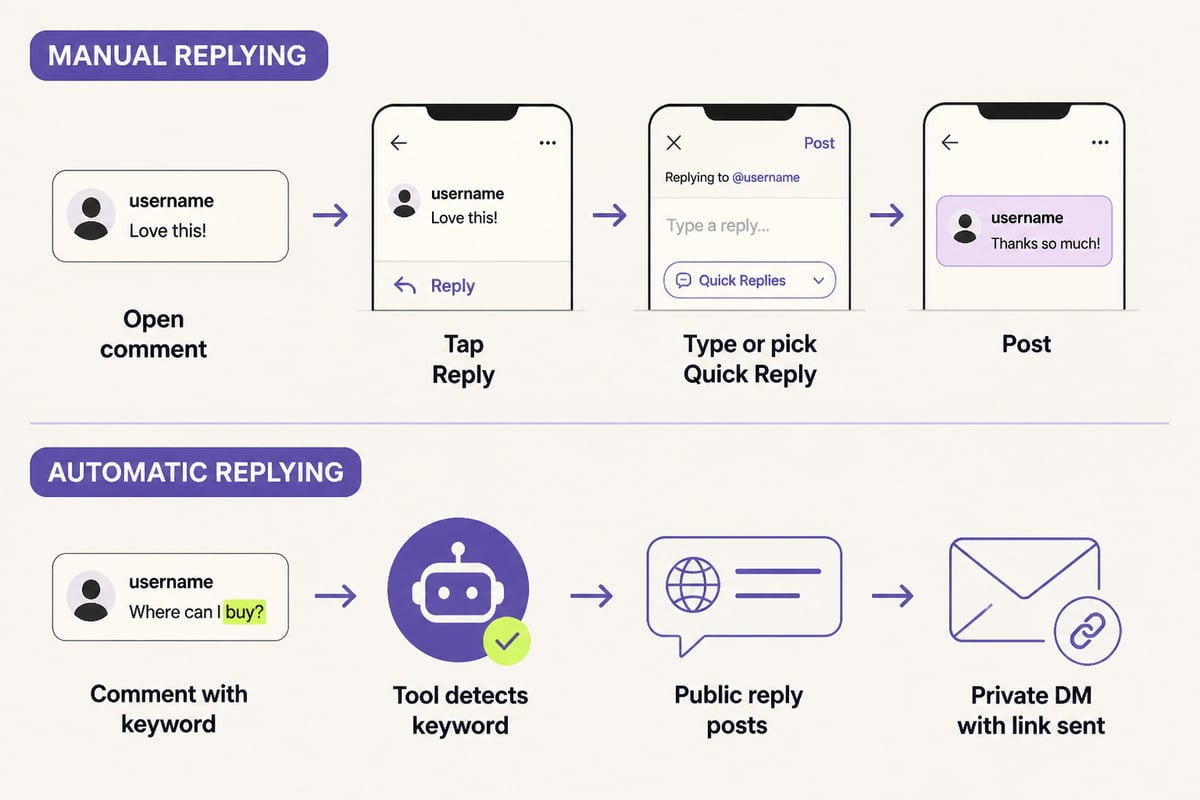
Step 3: Decide What Should Reply Automatically
Automate replies for predictable comments, and keep real conversations for yourself.
Good candidates for automatic replies:
- Keyword requests: "GUIDE", "LINK", "PRICE", "SEND"
- Repeat questions: "Where do I buy this?", "Is it still open?"
- Giveaway and lead magnet entries: "WIN", "FREE"
- Thank-you comments: a quick public "Thanks! Sent you the link"
Keep these manual:
- Complaints and sensitive feedback
- Detailed questions that need your judgment
- Comments from partners, press or collaborators
If you want ideas for wording, the Instagram comment CTA examples post has prompts you can borrow and adapt.
Step 4: Connect Your Account to a Comment Automation Tool
To reply automatically, connect your Business or Creator account through the official Instagram connection in an automation workspace.
This is where Sayw Instagram Comment-to-DM Automation fits in. It's a no-code workspace that sends a link or message by DM when someone comments your chosen keyword on a post or Reel, with optional follow checks, AI replies and a CRM. It works with official Instagram Business and Creator account connections, so you log in through Instagram rather than handing over a password.
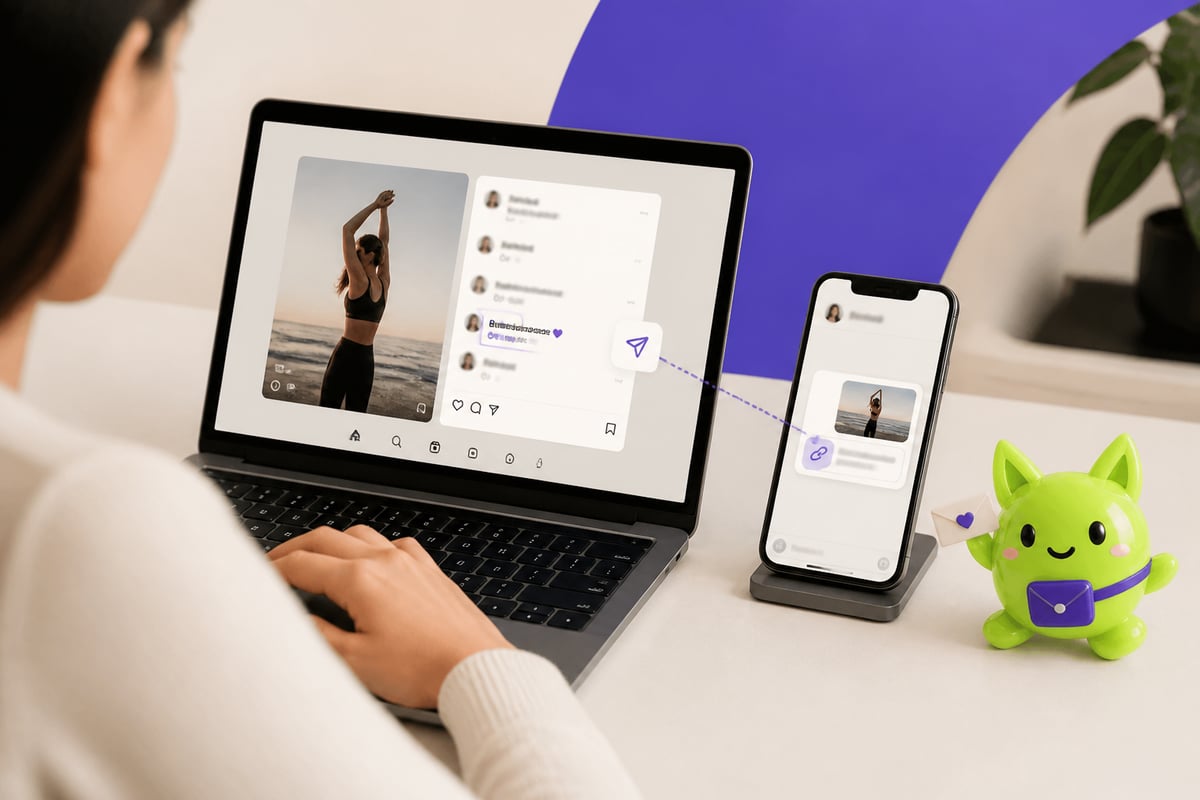
Once connected, you can pick posts and Reels to attach automations to inside the workspace. If a connection ever drops, the walkthrough on reconnecting Instagram safely covers what to do.
Step 5: Set a Keyword and Write the Automatic Reply
Pick one keyword per post, then write two messages: a short public reply and a private DM that carries the resource.
Here's a simple setup:
- Choose the post or Reel you want to attach the automation to.
- Set the keyword, for example "GUIDE".
- Write the public reply, such as "Sent! Check your DMs."
- Write the DM, such as "Hey! Here's the guide you asked for: [link]. Reply here if you have questions."
- Add your CTA to the post caption or Reel so people know what to comment: "Comment GUIDE and I'll send it over."
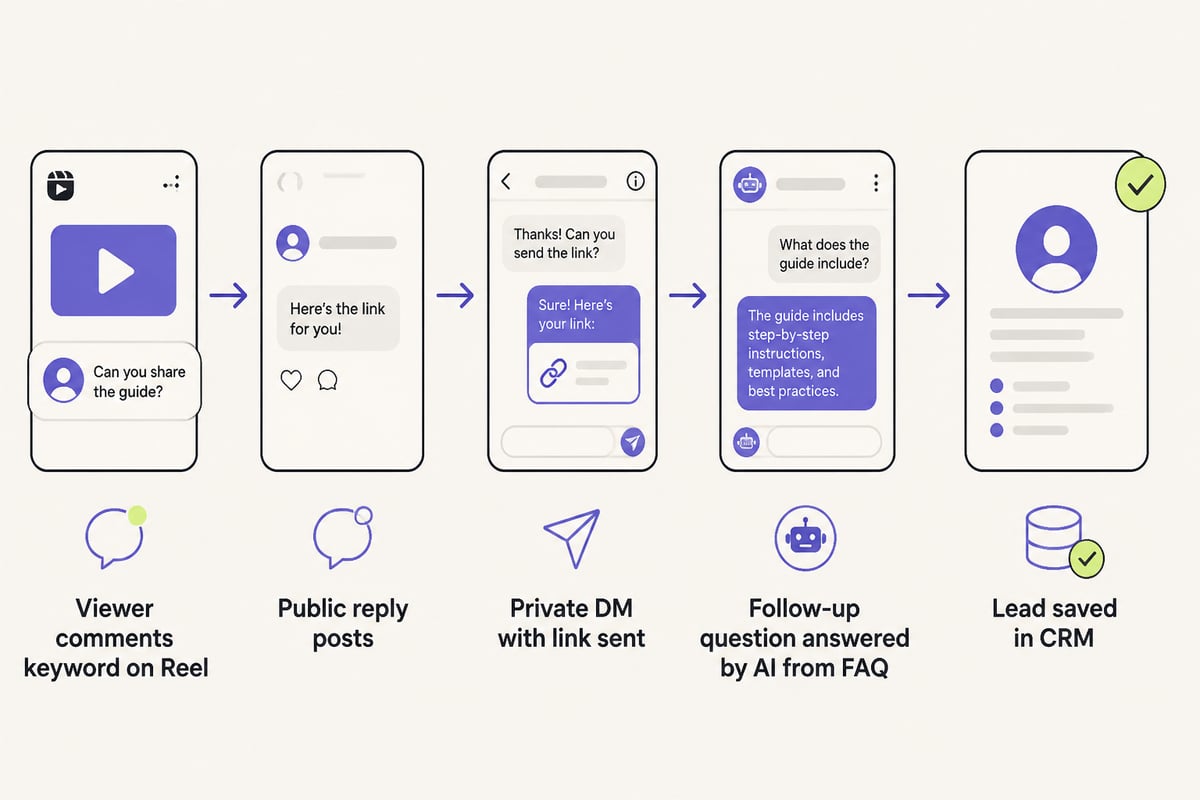
Sayw sends the link by DM when someone comments your keyword, so the commenter isn't left waiting. You can also choose whether a follow is required before the resource is sent, which is handy if you want the DM to double as a way to grow your account.
Keep the DM friendly and specific. "Here's your checklist" beats "Here is the requested item."
Step 6: Let AI Handle the Follow-Up Questions
After the link goes out, people often reply with a question, and AI can answer from your own information instead of generic text.
With Sayw, AI can answer follow-up questions from the information and FAQs you provide. So if someone asks "How long is the course?" or "Does it work for beginners?", the reply is built from what you've actually told it, not made up on the spot.
A few tips for good AI replies:
- Write a short FAQ with prices, dates, what's included and who it's for
- Keep the language in your own voice
- Review the first batch of conversations and adjust anything that sounds off
- Decide in advance which topics should go to you personally
The post on handing conversations over to a human explains how to set that line, and building a price and FAQ file shows what to include.
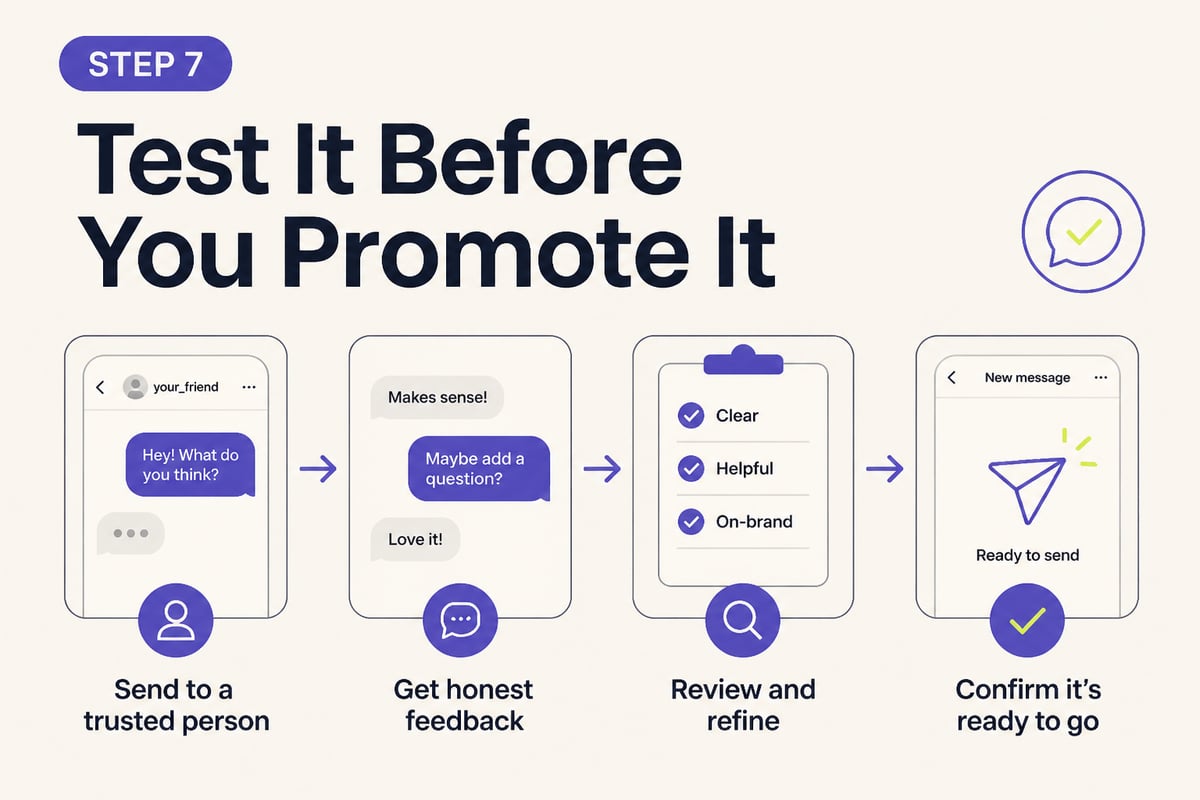
Step 7: Test It Before You Promote It
Test the automation from a second account before you tell your audience to comment.
Use a friend's account or a spare one. Comment the keyword exactly, then try common variations: lowercase, an extra space, an emoji. Check three things: did the public reply post, did the DM arrive, and does the link open the right page?
Also check how the DM looks on mobile, since most people will read it there. If your message has a long URL, shorten it or use a clean link so it doesn't look messy.
Step 8: Track Replies and Follow Up With Leads
Every keyword comment is a small lead, so save them where you can see who asked, what they asked, and what happens next.
Sayw includes a built-in lead CRM, so commenters who trigger the automation are captured as contacts you can sort and follow up with. That beats scrolling through old DMs to remember who wanted pricing.
To judge whether it's working, watch a few numbers:
- Comments that included the keyword
- DMs delivered
- Link clicks or replies
- Leads who later booked, bought or signed up
The guide on measuring comment-to-DM results breaks down what to track, and the post on choosing the next step in your Instagram CRM helps you decide what to do with each lead.
How to Reply on IG Without Sounding Like a Bot
Automatic replies should read like a quick note from you, not a form letter.
Small changes make a big difference:
- Vary your public replies. If every comment gets the identical line, rotate two or three versions.
- Use plain words. "Sent you the link" beats "Your requested resource has been dispatched."
- Give one clear next step. Don't stack three links in one DM.
- Reply personally when it matters. Jump into the thread yourself when someone shares a story or asks something thoughtful.
- Match your brand voice. Casual creators can use emojis; a consultant might keep it tighter.
A good rule: if you wouldn't say it out loud to a customer at your door, don't send it.
Common Mistakes and Troubleshooting
Most problems come from the keyword, the account type or the timing, and all of them are fixable.
The DM never arrives. Check that your account is a Business or Creator account and that the connection is active. Also make sure the commenter hasn't blocked messages from accounts they don't follow in a way that stops delivery.
The keyword doesn't trigger. Confirm the spelling in the tool matches what your caption asks for. Add common variations if your tool supports them.
Replies feel spammy. You may be using the same wording everywhere or asking for a keyword on every single post. Mix in posts where you reply by hand.
Too many keywords. One post with five different keywords confuses people. Stick to one per post or Reel.
You forgot the CTA. The best automation does nothing if no one knows what to comment. Say it in the caption and on screen in the Reel.
You never review conversations. Spend ten minutes a week reading what people actually asked. It tells you what to post next. The Instagram comment checklist is a good weekly routine.
FAQ
Do you reply to comments on Instagram?
Yes, and you should. Replying keeps the thread active, shows your audience that you're paying attention, and gives you a chance to move interested people into DMs. You can reply by hand or set up automatic replies for common keywords.
Where is DM in Instagram?
Your DMs live in the paper airplane icon, found at the top right of the Home feed on mobile, or in the Messages tab on desktop. If you automate comment replies, the private message people receive lands in their DM inbox, and any follow-up questions land in yours.
How do I see comments on an Instagram story?
Stories don't have public comments. When someone responds to your story, it arrives as a DM in your inbox, so check your messages and the story's viewer list. If you want public comments, post the same content as a Reel or a feed post.
Pick one post or Reel you already have, choose a single keyword, and write the exact DM you'd want to receive if you were the commenter. Then set it up in Sayw, where Sayw Instagram Comment-to-DM Automation handles the keyword, the private link and the lead tracking for your Business or Creator account, and you can start free to see your first automatic reply go out.
Article written using RankPill.