Link DM Guide: Send Links Through Instagram DMs
See how to send a link by DM on Instagram, manually or with a keyword comment automation, and how to track which links bring in real leads.
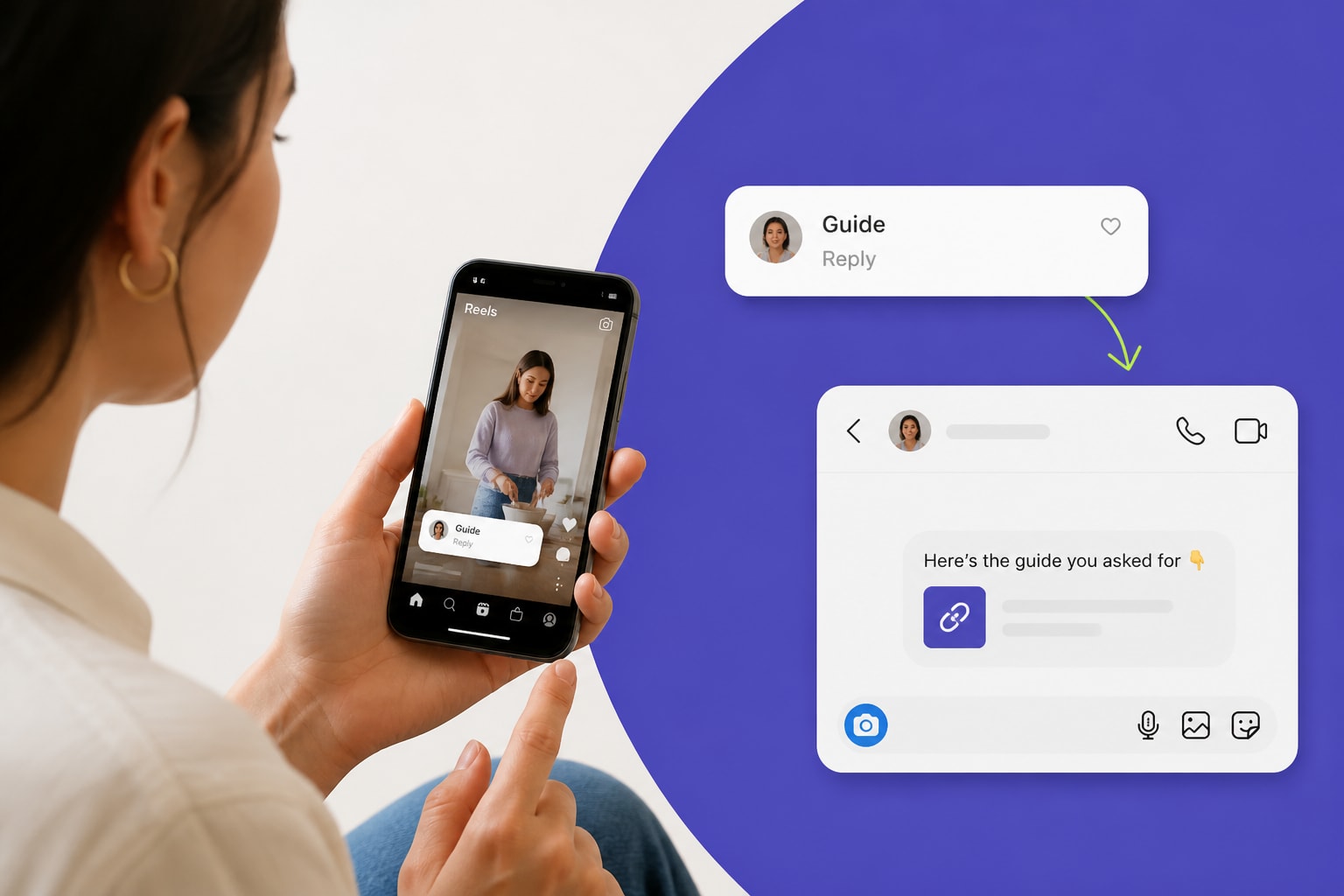
A link DM is a private Instagram message that carries a link, and you can send one by typing it in a chat or by setting up an automation that fires when someone comments a keyword on your post or Reel. The manual route works for a handful of people. Once a Reel starts pulling in a large number of comments, automation is the most practical way to answer everyone with the right link while the interest is still fresh.
This guide covers both routes, from the basics to the details that decide whether your link DM actually gets opened and clicked.
What is a link DM on Instagram?
A link DM is a direct message that delivers a URL, such as a free guide, a booking page, a product page or a course waitlist, straight to someone's inbox instead of making them hunt for it.
Instagram limits where clickable links can live. Captions don't make links clickable, and Reels comments don't either. A single link in your bio is the main alternative, and it forces people to leave the post, open your profile, tap through and find the right thing. Every extra step loses people.
A link DM skips that. Your viewer comments a word, and the link arrives in a private chat. You also get a conversation thread with that person, which is worth more than an anonymous click.
Common things creators and small businesses send this way:
- A free checklist, template or PDF
- A booking or discovery call link
- A discount code with a product page
- A course or workshop sign-up page
- A playlist, recipe or resource list mentioned in a Reel
How do you send a link by DM manually?
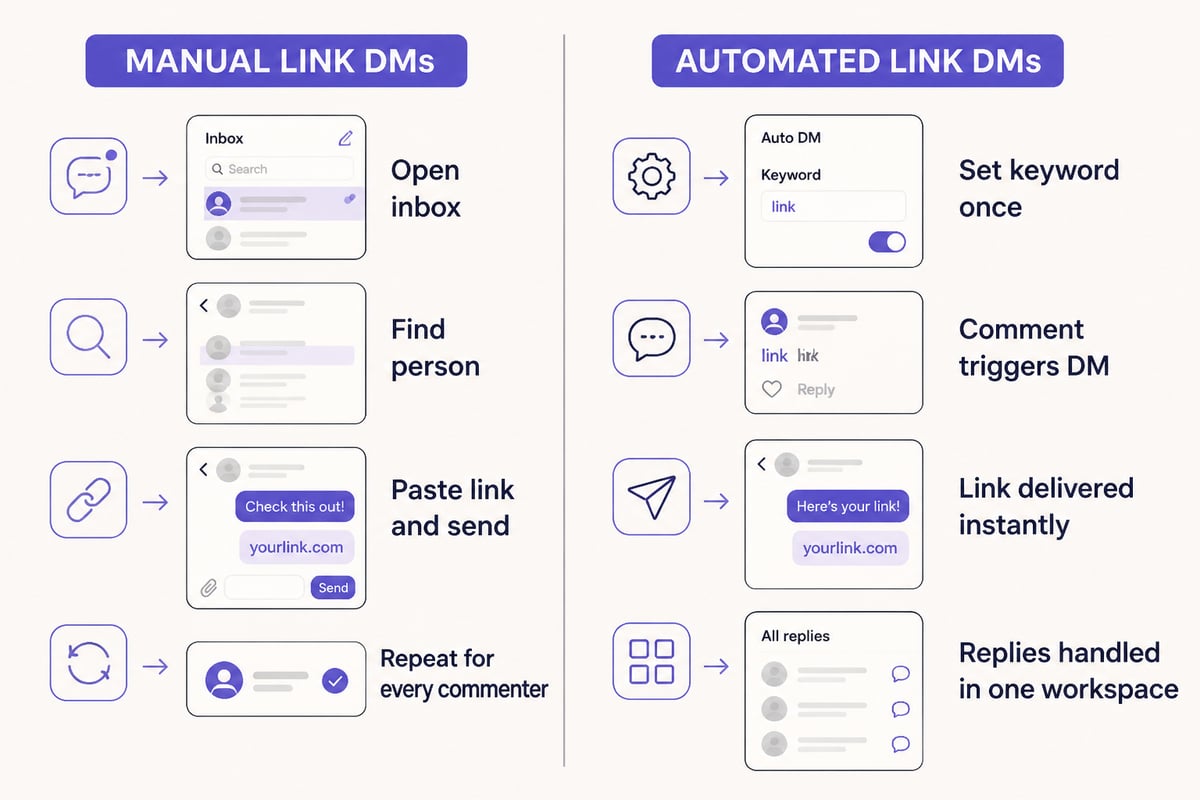
Open the person's chat, paste the full URL, and send it. That is the entire manual process, and for a small account it's perfectly fine.
Here is the quick version:
- Open Instagram and tap the paper plane icon to reach your inbox.
- Start a new message or open an existing chat with the person.
- Paste your link, ideally with one short sentence explaining what it is.
- Send it and check that the link preview loads.
A few details make manual link DMs work better. Add a line before the URL so the message doesn't look like spam, for example "Here's the template you asked about." Keep the link clean and short. And if someone you don't follow messages you first, their chat may land in your message requests folder, so check there. Our Instagram DMs guide walks through inbox folders and requests in more detail.
The weakness of the manual route is speed and volume. If 300 people comment "guide" on a Reel and you reply to each by hand, the last person waits days. By then the moment has passed.
How can you send a link DM automatically from comments?
You send a link DM automatically by choosing a trigger keyword, writing the message that holds your link, and connecting your Instagram Business or Creator account to a tool that sends the DM whenever someone comments that keyword.
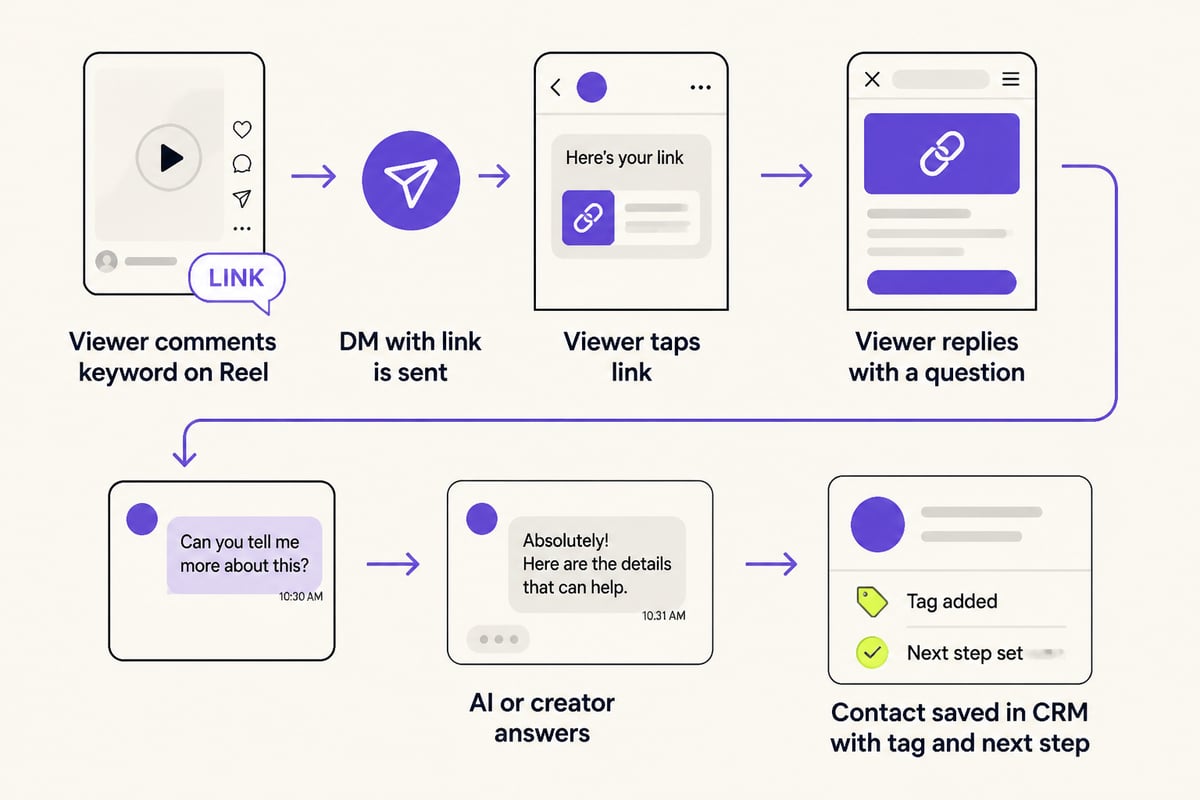
The flow looks like this:
- You post a Reel with a call to action such as "Comment GUIDE and I'll send it to you."
- A viewer comments the keyword.
- The tool sees the comment and sends that person a private message with your link.
- The viewer opens the DM, taps the link and lands where you want them.
This only works for accounts set to Business or Creator, because Instagram's official connection for messaging tools isn't available to personal accounts. If you're still on a personal account, switch the account type first, since the setup depends on it.
There are several tools in this space. Some are built purely around link delivery, like LinkDM, and others focus on visual flows, like LinktoDM. If you're weighing options, our breakdown of Instagram DM automation alternatives compares what to look for.
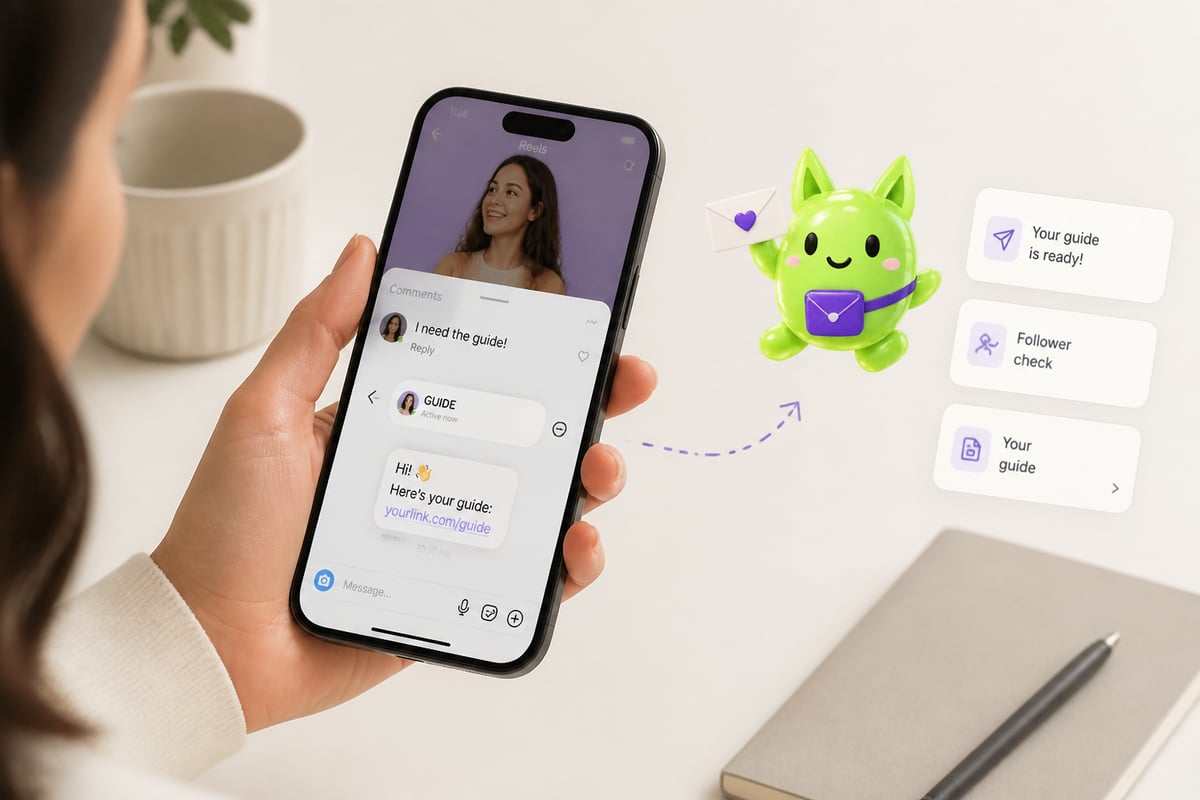
If you want a no-code option built for this exact job, Sayw Instagram Comment-to-DM Automation sends a link by DM the moment someone comments your keyword, works through official Instagram Business and Creator account connections, and lets you decide whether a follow is required before the resource goes out. Creators are already using the app to turn keyword comments into link DMs.
How do you set up a link DM automation step by step?
Setting up a link DM automation takes about five decisions: which post, which keyword, what message, what follow rule, and how you'll test it. The details differ between tools, but the logic is the same everywhere.
Pick the post and the keyword
Choose the Reel or post where the offer makes sense. The keyword should be a single, easy-to-type word that matches what you're giving away. "GUIDE", "PRICE" or "TEMPLATE" work well. Avoid words people might type in normal comments, like "love" or "yes", because you'll trigger DMs to people who weren't asking for anything.
Tell viewers the exact word in your caption and on screen in the Reel. If the instruction is vague, people comment random things and nothing fires.
Write the DM
Keep the message short and put the link where it can't be missed. A simple structure:
- One friendly line confirming what they asked for
- The link on its own line
- One optional follow-up question to start a conversation
For example: "Hey, here's the budgeting template you asked for. Let me know if it helps or if you want the advanced version." Our comment CTA examples give you wording ideas for the post side too.
Decide on a follow check
Some creators want the resource to go only to people who follow them. Others prefer to send it to everyone and win followers through value. Both are legitimate choices. With Sayw you pick whether a follow is required before the resource is sent, so you can test which approach grows your account without blocking people who are just curious.
Test before you publish
Comment the keyword from a second account and watch what arrives. Check that the link opens, the preview looks right on a phone, and the wording sounds like you. Fixing a typo now beats fixing it after 400 people received it.
What makes people actually open and click a link DM?
People open and click a link DM when it arrives fast, sounds human, and clearly matches what they asked for. Speed matters because the person is still looking at your Reel when they comment.
Here are the factors that move the needle most:
| Factor | What works | What hurts |
|---|---|---|
| Timing | Link arrives within moments of the comment | Link arrives hours later |
| Message length | Two or three short lines | A wall of promotional text |
| Link | One clear link per message | Several links competing for attention |
| Tone | Sounds like you wrote it | Reads like a template blast |
| Match | Link delivers exactly what the Reel promised | Link goes to a generic homepage |
One more tip: end with a question the person can answer in a word. "Want the beginner or advanced version?" invites a reply, and replies keep the conversation open so you can message them again within Instagram's rules.
Can you send a link DM without a follow-up conversation?
You can, but you'd be leaving the most valuable part on the table. A link DM that ends in silence gets you a click at best. A link DM that starts a conversation gets you a lead.
This is where follow-up replies matter. People who receive your link often have a question: "Does this work for beginners?" "How long is the course?" "Is there a payment plan?" If nobody answers, they drift away.
Sayw's AI can answer follow-up questions using the course information and FAQs you provide, so common questions get handled in your wording rather than generic filler. For anything that needs a human, set a clear handoff point. We cover how to split that work in AI manager and human handoff, and how to keep your FAQ material tidy in building a price and FAQ file for your AI manager.
How do you keep track of who received your link?
Keep a record of every person who commented, received the link, and replied, ideally in one place rather than scattered across your inbox. Without it, a successful Reel produces a messy pile of chats and no way to see who is a warm lead.
Useful things to track for each contact:
- The keyword they commented and the post it came from
- Whether they followed you
- Whether they replied after getting the link
- A next step, such as "send pricing" or "invite to call"
Sayw includes a built-in lead CRM for this, so each commenter can become a record you can sort and follow up on. If you want to design a sensible pipeline, Instagram CRM next steps shows how to turn a contact list into actions, and measuring comment-to-DM results explains which numbers actually tell you something.
Which mistakes make a link DM fail?
Most failed link DMs come from a small set of avoidable problems, and none of them need a technical fix.
- A vague keyword. If your call to action says "comment below" without naming a word, nothing triggers.
- Mismatched promise and link. The Reel says "free template" and the link goes to a sales page. People feel tricked and don't reply.
- Too many links. One message with four links gives people a choice, and a choice often means no click.
- A dead or slow link. Test it on mobile data, not just on Wi-Fi at your desk.
- Ignoring replies. Someone asks a question after the link and gets no answer for days.
- Over-messaging. Sending repeated pushes to people who didn't respond makes your account feel pushy and can hurt trust.
Another one that catches people out: connections can break. If your tool stops sending DMs, the cause is often an expired Instagram connection rather than a problem with your keyword.
How should you plan the link DM around your content?
Plan the link DM before you film the Reel, because the offer, the keyword and the on-screen call to action all need to line up. A Reel that explains one idea well and then points to a matching resource converts better than a Reel that tacks on a link as an afterthought.
A simple planning routine:
- Pick one problem your Reel solves.
- Pick one resource that goes deeper, such as a checklist, template or short guide.
- Choose a keyword that names the resource.
- Say the keyword out loud in the Reel, show it on screen and repeat it in the caption.
- Write the DM so the link sits right under a one-line promise.
Timing helps too. Posting when your audience is active gives your keyword more comments in the first hours, which is when the Reel gets pushed hardest. Check the best time to post on Instagram for how to find your own window.
Finally, keep an eye on policy changes. Instagram adjusts how messaging and automation work, and keeping up with Meta's creator updates saves you from surprises.
FAQ
Can I send a clickable link in an Instagram DM?
Yes. Links pasted into a DM are clickable for the recipient and usually show a preview. The restrictions apply to captions and comments, not to private messages.
Do I need a Business or Creator account to automate link DMs?
Yes. Messaging tools connect through official Instagram access that is available to Business and Creator accounts. Personal accounts can't use comment-to-DM automation, so switch the account type first.
Will people get a DM if they aren't following me?
That depends on your settings. With Sayw you choose whether a follow is required before the resource is sent, so you control it per automation.
How many keywords can I use on one Reel?
Check your tool's documentation or contact page for exact limits. For clarity, one keyword per Reel is usually the best choice for viewers anyway.
Is it okay to message people who commented?
Replying to someone who commented a keyword you asked for is the expected use. Stay relevant, don't spam, and follow Instagram's current rules on automated messaging.
Your next step: pick your best-performing Reel from the last month, choose a single keyword that matches a resource you already have, and write the two-line DM that will carry the link. When you're ready to automate it, Sayw lets you connect your Business or Creator account and turn that keyword comment into a private link DM, so you can start free and see how your first batch of commenters responds.
Article written using RankPill.